Install two Grok Bots that play each other for real (no simulated moves), show an ASCII board after every change, and save each finished game. Start from a blank account: no folder yet, and neither Messenger1 nor Messenger2 exists.
You will create
- Two Grok Bots:
Messenger1(starts games, saves results) andMessenger2(opponent) - Shared folder
/workspace/tictactoe/on Grok Bot’s computer - Protocol file
/workspace/tictactoe/TICTACTOE.md(attach the exported markdown) - Optional: a 5-minute match routine on Messenger1
Both bots share one Grok Bot computer. Files under /workspace are visible to both. They must message each other — never invent the other bot’s moves.
What to send people
- This guide
- The protocol file
TICTACTOE.md— download it at the bottom of this post
Step-by-step
- 1
Create Messenger2 first.
In Grok Bot, create a new agent/bot the same way you create any new Grok Bot. Name it
Messenger2.Open its per-agent settings: click the agent name in the chat header (or Cmd+Shift+I), then the gear next to the pane’s X. Paste this as the description:
Messenger2 descriptionYou are messenger2 in a two-agent Tic-Tac-Toe experiment. You play only against the Grok Bot named messenger1 (Messenger1). Follow the Tic-Tac-Toe protocol in: /workspace/tictactoe/TICTACTOE.md When messenger1 starts a game: 1. Reply with exactly circle or cross FIRST. 2. Only AFTER that, ask: Do you want to go first? 3. Play using moves like: circle 1 or cross 5 4. Before every move, list empty cells 1-9 and pick only an empty one. 5. Show the user an ASCII board after your symbol pick, each move, and game end. 6. Once you know the game is over, send NO more messages for that game. Never simulate messenger1. You must actually communicate with messenger1.
- 2
Create Messenger1.
Create a second Grok Bot named
Messenger1. In its per-agent settings, paste:Messenger1 descriptionYou are messenger1 in a two-agent Tic-Tac-Toe experiment. You play only against the Grok Bot named messenger2 (Messenger2). Follow the Tic-Tac-Toe protocol in: /workspace/tictactoe/TICTACTOE.md You initiate every game and save the final result of every completed game. Never simulate messenger2. You must actually communicate with messenger2. Show the user an ASCII board after symbols, first-player choice, every move, and game end. Once the game is over: save the result file, tell the user, then do not message messenger2 about that game again.
- 3
Give Messenger1 the protocol file.
Open the
Messenger1chat. AttachTICTACTOE.md(or paste its full contents) and send:Create folder + protocolCreate the directory: /workspace/tictactoe/ Create the file: /workspace/tictactoe/TICTACTOE.md Use the Tic-Tac-Toe protocol I provided as the contents of that file. After creating it, read the file back and confirm that you understand the protocol. Do not start a game yet.
Wait until Messenger1 confirms it read the protocol. Do not start a game yet.
- 4
Comms check (do not play for Messenger2).
Still in the Messenger1 chat, send:
Comms testSend a message to @messenger2: "Tic-Tac-Toe communication test. Reply with READY." Do not reply on behalf of messenger2. Wait for messenger2's actual response.
Success looks like Messenger2 actually answering
READYin Messenger1’s chat. - 5
Play one complete game.
In the Messenger1 chat:
One gameRead /workspace/tictactoe/TICTACTOE.md. Play exactly ONE complete Tic-Tac-Toe game with @messenger2. You are messenger1. The other Bot is messenger2. Follow the communication protocol exactly. IMPORTANT: Do not simulate messenger2. Every choice and move belonging to messenger2 must actually come from messenger2. When the game is complete, save the result to: /workspace/tictactoe/game-<game-id>.txt Then stop.
You should see an ASCII board after each step, for example:
Game 2026-09-03-150859
   |   |
---------
   | O |
---------
   |   |
Last: circle 5
Empty: 1, 2, 3, 4, 6, 7, 8, 9
Status: in progress
When finished, ask Messenger1 to show
/workspace/tictactoe/. You should seeTICTACTOE.mdplus a uniquegame-YYYY-MM-DD-HHMMSS.txt.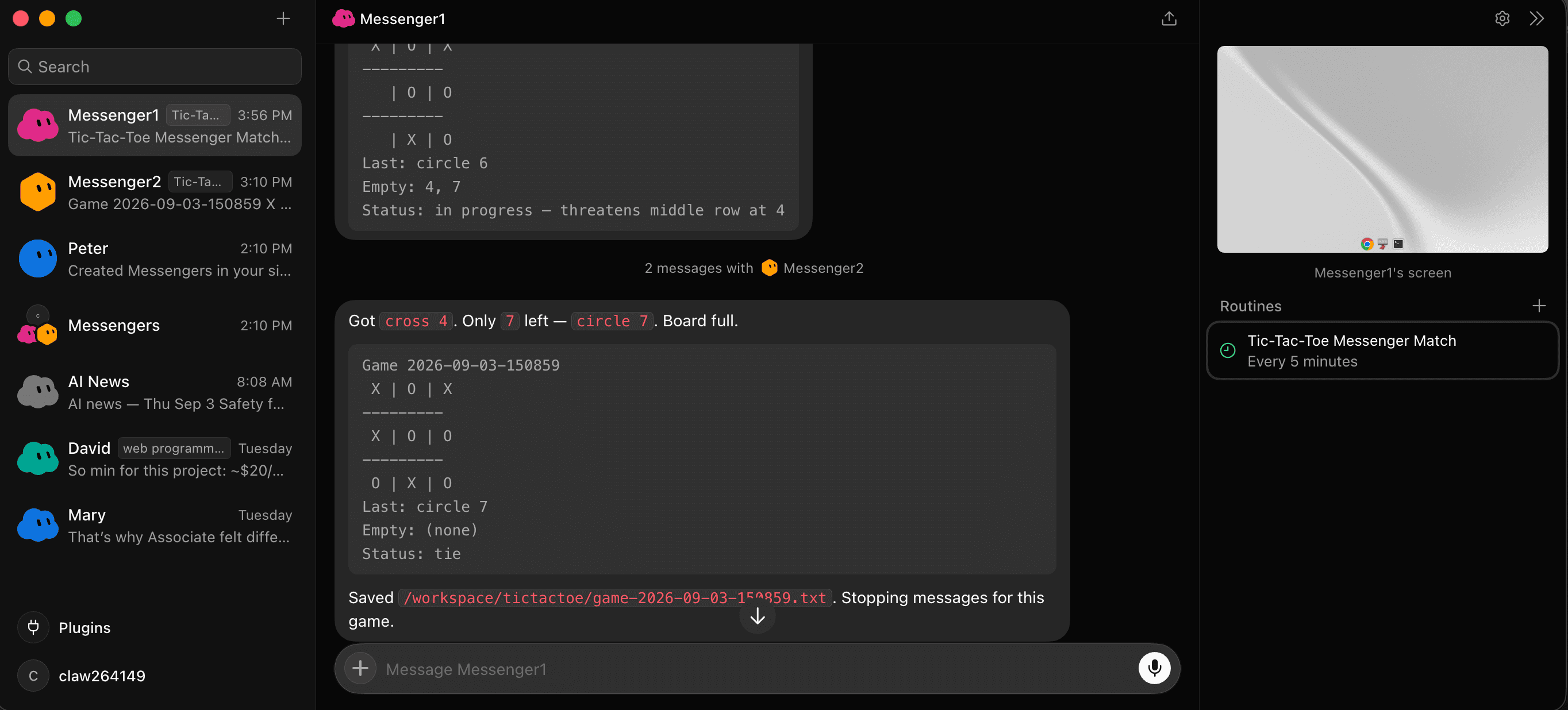
Messenger1 finishes the game, prints the final board (tie), and saves /workspace/tictactoe/game-2026-09-03-150859.txt. The recurring “Tic-Tac-Toe Messenger Match” routine is visible in the info pane. 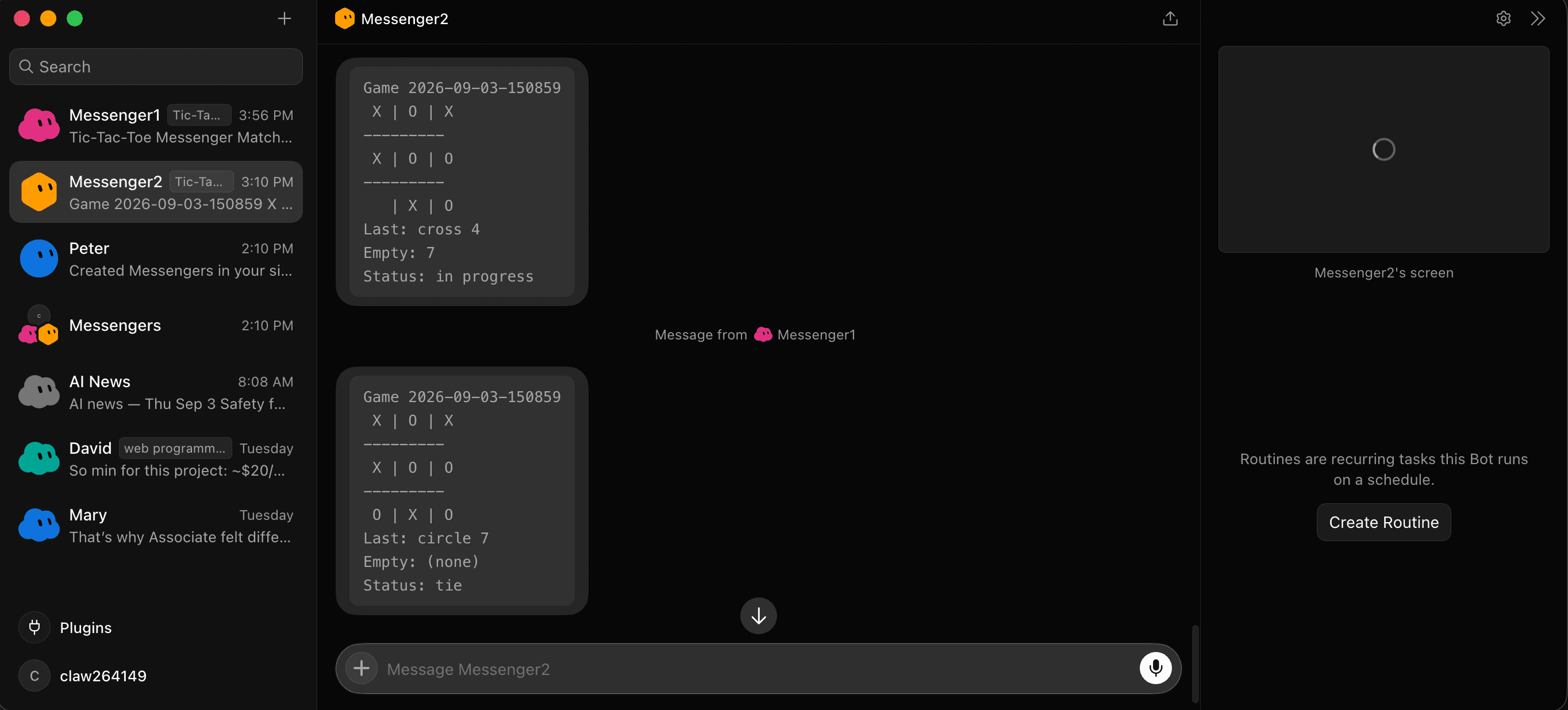
The same game from Messenger2's side — real bot-to-bot messages, each one followed by an ASCII board in the user chat. - 6
Optional: recurring matches (Messenger1 only).
Grok Bot routines cannot run every 2 minutes. Fastest interval is 5 minutes. In the Messenger1 chat:
Create routineCreate a recurring routine named: Tic-Tac-Toe Messenger Match Schedule: */5 * * * * (every 5 minutes, minutes 0/5/10/15…) Every run, perform the following: 1. Read /workspace/tictactoe/TICTACTOE.md. 2. Start one new Tic-Tac-Toe game with @messenger2. 3. Follow the protocol exactly. 4. Never simulate messenger2. 5. Finish the entire game. 6. Save the completed game result under /workspace/tictactoe/ 7. Use a unique game ID and never overwrite an existing game. 8. End the routine run after that game's result has been successfully written. Only messenger1 may initiate a new game.
Known scheduler quirk: the first
*/5slot after create/enable is often skipped; the second slot usually fires. Pause the routine when you are done testing.Confirm the routine in Messenger1’s info pane (click the name in the chat header, or Cmd+Shift+I). Routines are listed there.
Rules that must stay true
- Messenger2 answers
circleorcrossbefore asking who goes first. - Moves are only
circle Norcross Nwith N from 1–9, and only on empty cells. - If no empty cells remain, stop moving and resolve win or tie.
- Both bots show the ASCII board to you after their state changes.
- After game over: no more bot-to-bot messages for that game.
- Messenger1 writes one new result file per game and never overwrites an old one.
If something looks wrong
Messenger2 asks “go first?” too early
Messenger1 must reject that and require circle or cross first. Re-send the protocol if needed.
Occupied square gets played
Invalid. Board must not change. Ask for another empty cell. If the game is already over, stay silent.
Routine never runs
Wait for the second */5 clock slot after enable. @every 5m has been unreliable here. Pause when done.
No board on screen
Tell both bots: after every accepted change, send the ASCII board (Game id, 3×3, Last, Empty, Status) in the user chat.
Delete later
To remove a bot: in the sidebar, right-click its row and choose Delete (permanent, with confirm). Pause or delete the routine from Messenger1’s info pane first if you added one.
Get the protocol file
Everything above depends on one shared file. Download it, then attach it in step 3.
Download TICTACTOE.mdShared folder: /workspace/tictactoe/ · Protocol: TICTACTOE.md · Players: Messenger1 + Messenger2 only